HOME - Furniture Shopping Application
Skills:
UX/Ui Design, AR/3D Visualization
Roles:
UX/UI Designer, Project Manager
Tools:
Figma, Adobe Photoshop, Illustrator and Stager
Duration:
2 Months (November 2024 - December 2024)
Overview of the project:
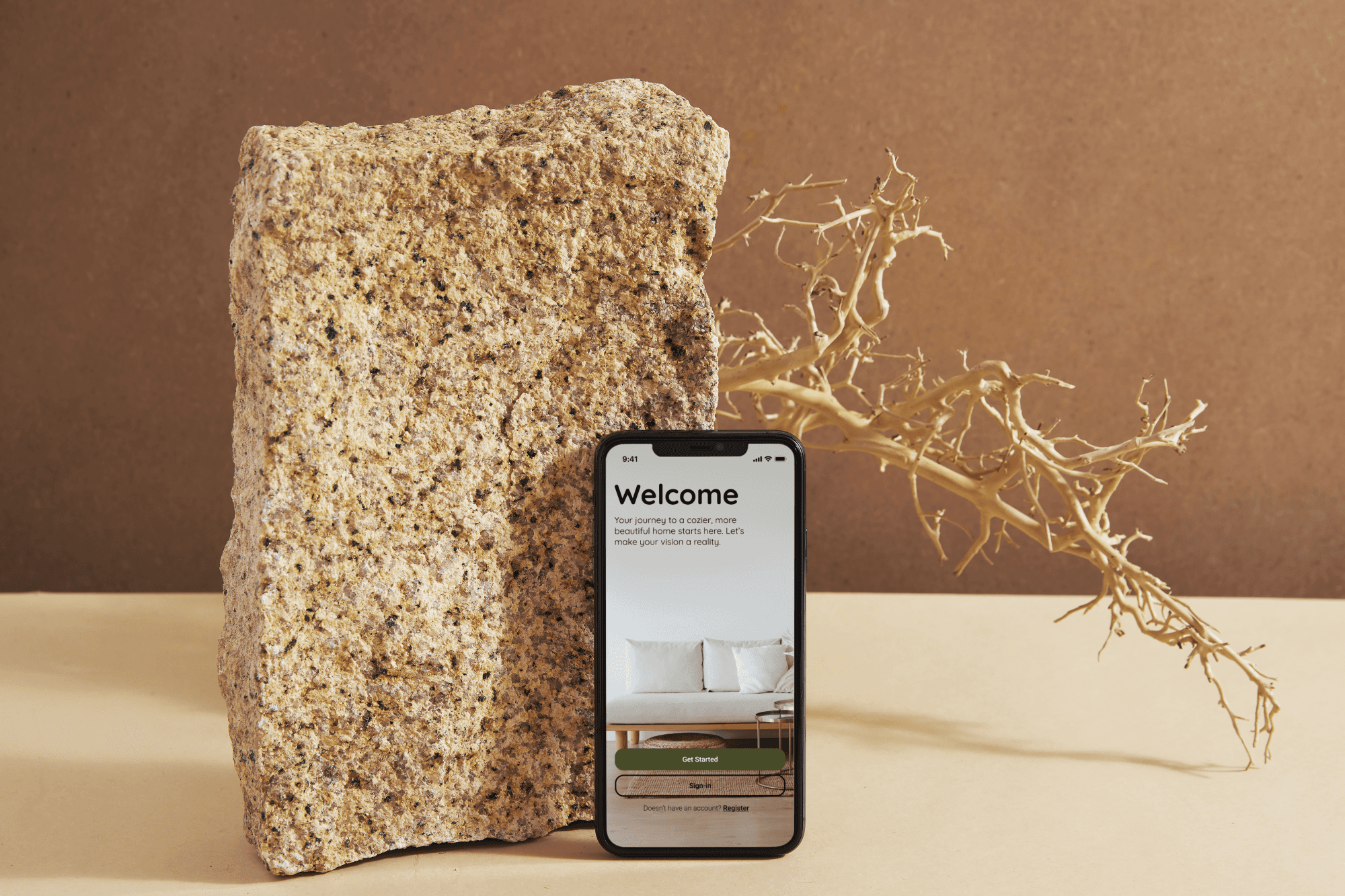
This native iOS app transforms furniture shopping by addressing challenges like overwhelming options, difficulty visualizing furniture in spaces, and inconvenient navigation. Featuring AR tools for real-space visualization, furniture customization, and seamless navigation, the app offers a user-friendly, eco-conscious experience. Inspired by industry leaders, it prioritizes usability and innovation, providing room mockups, robust search functionality, and clear product information for a more intuitive shopping journey.
Problem Statement:
Modern furniture shopping can be overwhelming for users due to:
Too Many Options: Users often feel inundated by the large selection of products.
Difficulty Visualizing Furniture: It's challenging to imagine how a piece will fit or look in a real space.
Inconvenient Shopping Experience: Many apps lack intuitive design and seamless navigation.
Limited Sustainable Options: Growing demand for eco-friendly products remains unaddressed.
Design Strategy:
A user-centric iOS app that enhances the shopping experience by integrating innovative features:
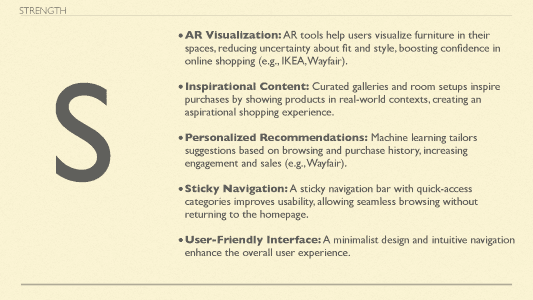
Augmented Reality (AR): Users can visualize furniture in their spaces through AR tools.
Customization Options: Furniture can be tailored (e.g., colors, materials, dimensions).
Room Mockups: Pre-designed room setups for inspiration.
Transparency: Detailed product specifications and sustainability information.
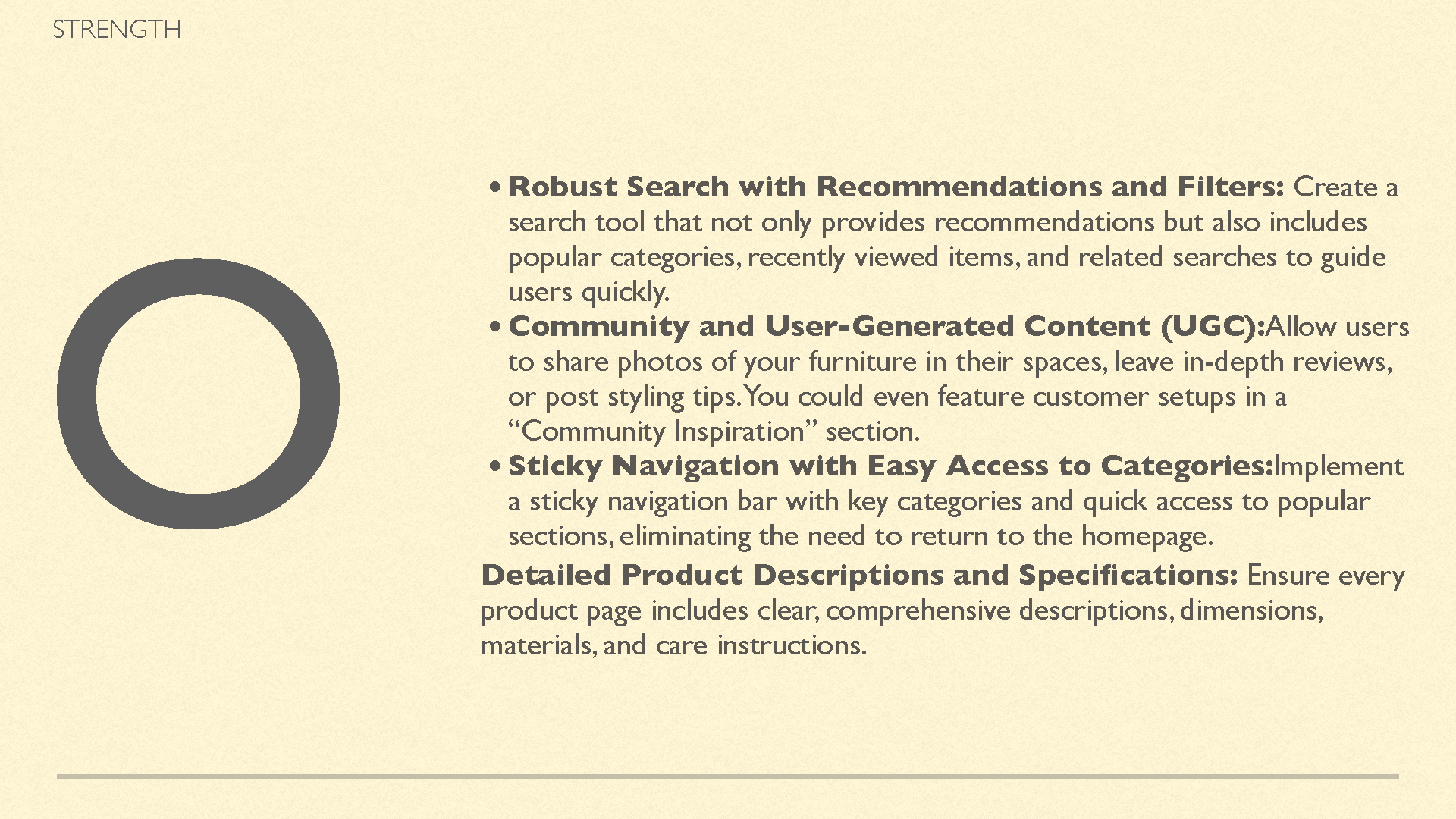
Seamless Navigation: Clear categories, recommendations, and a sticky navigation bar to streamline exploration.
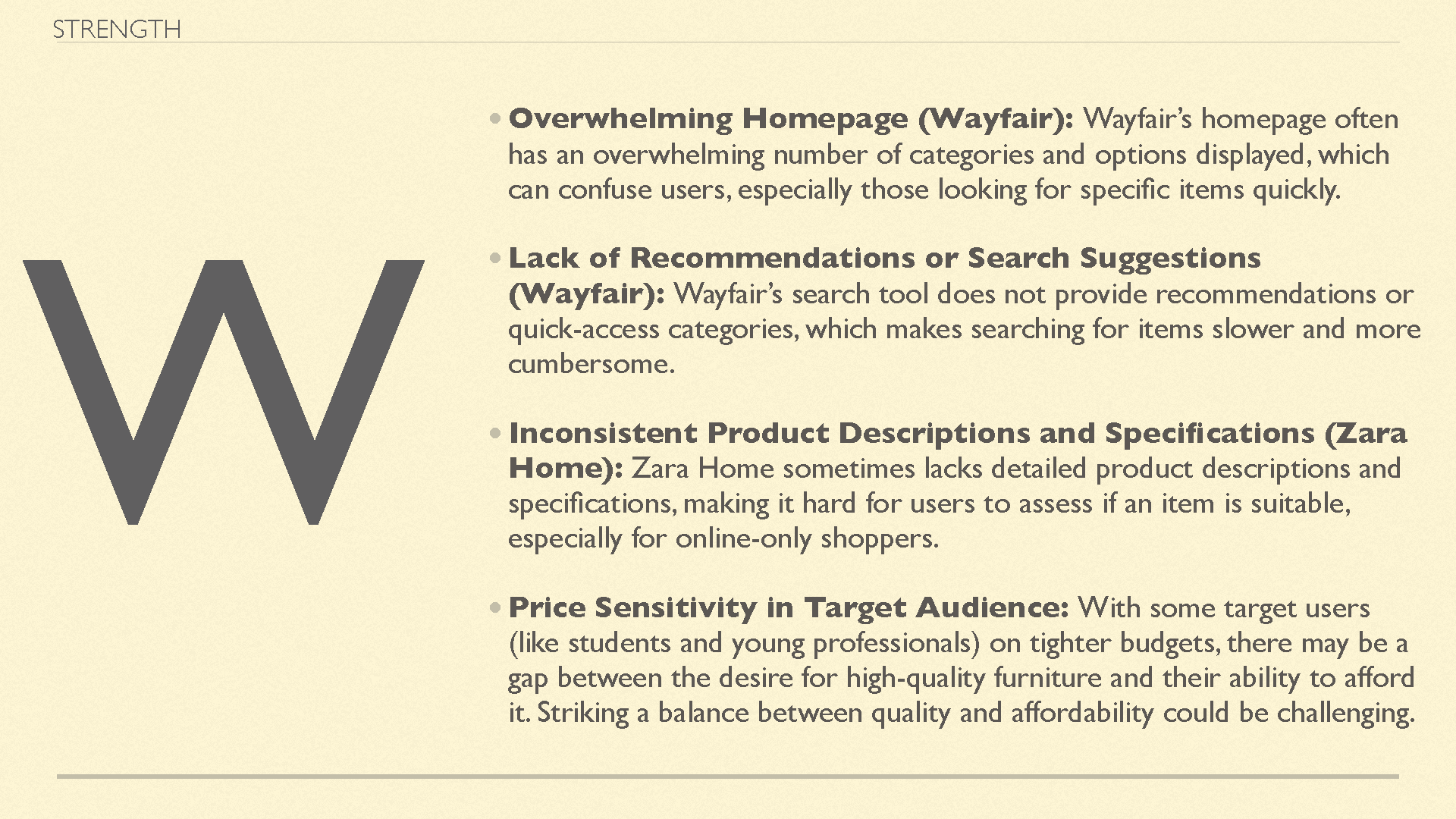
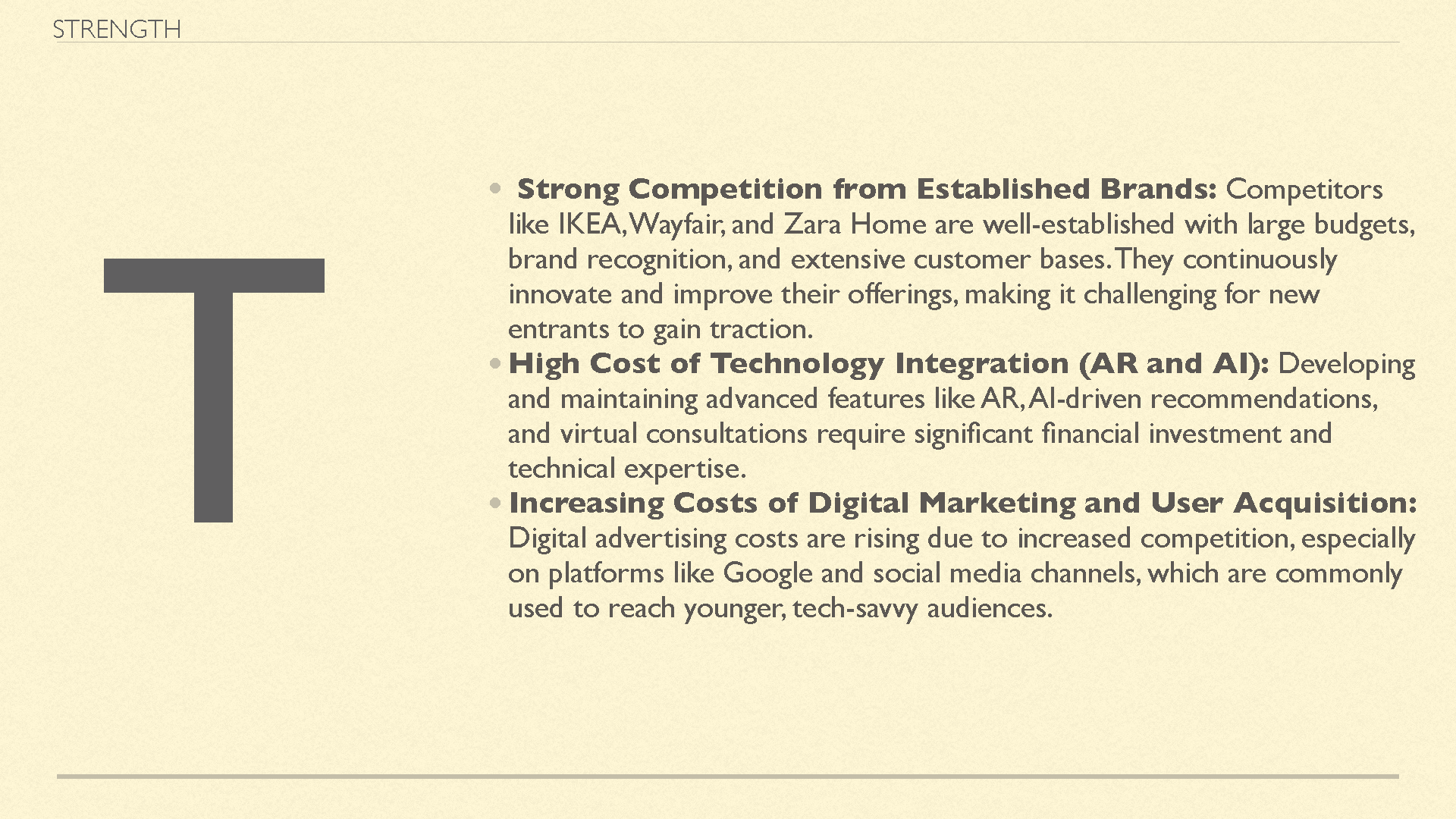
SWOT Analysis Highlights:
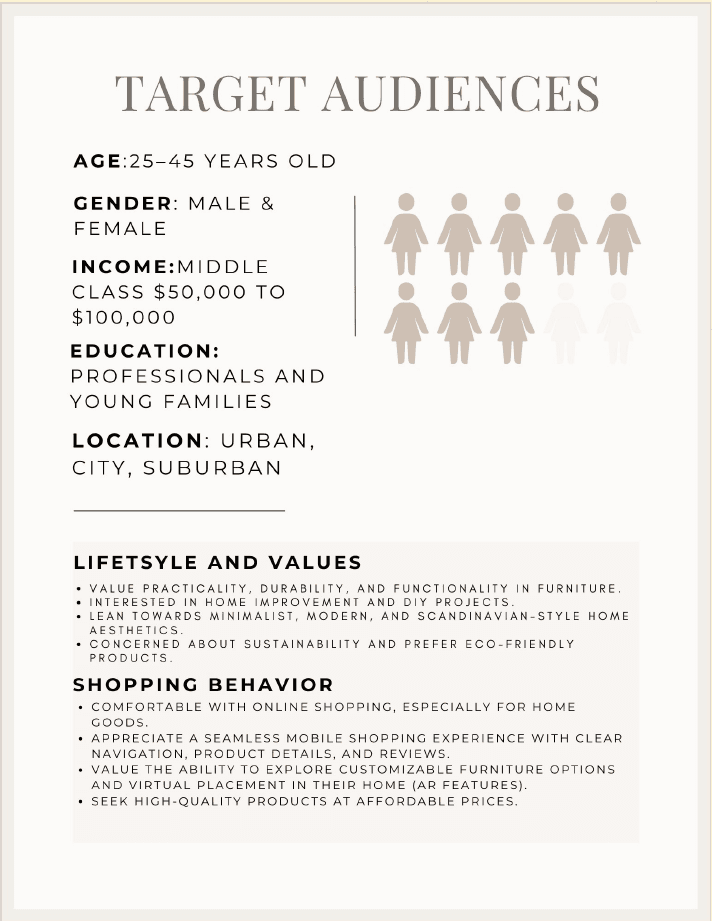
Target Audience:
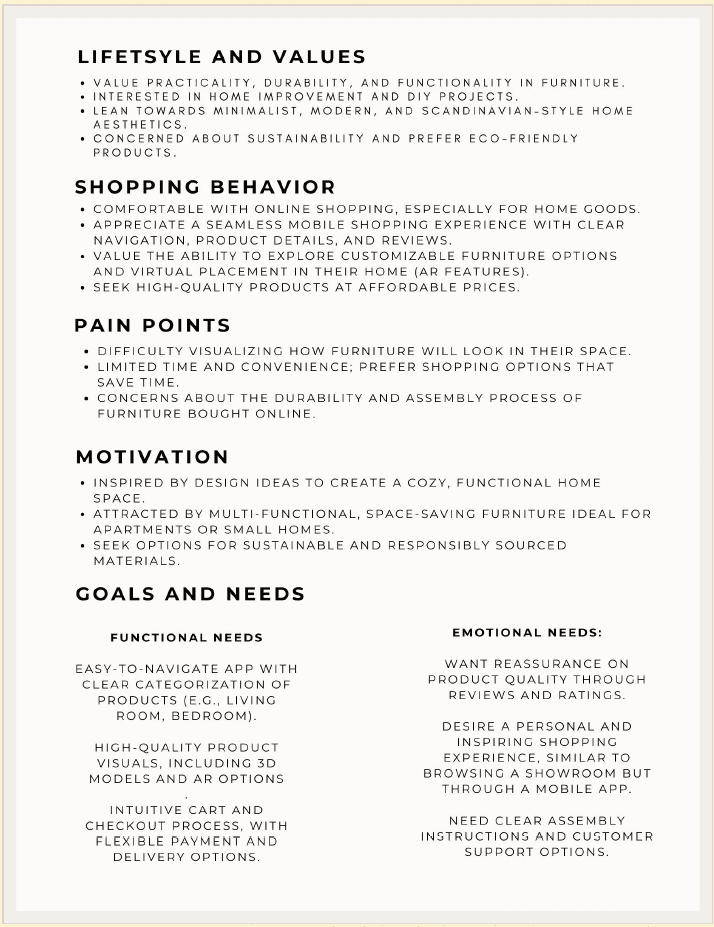
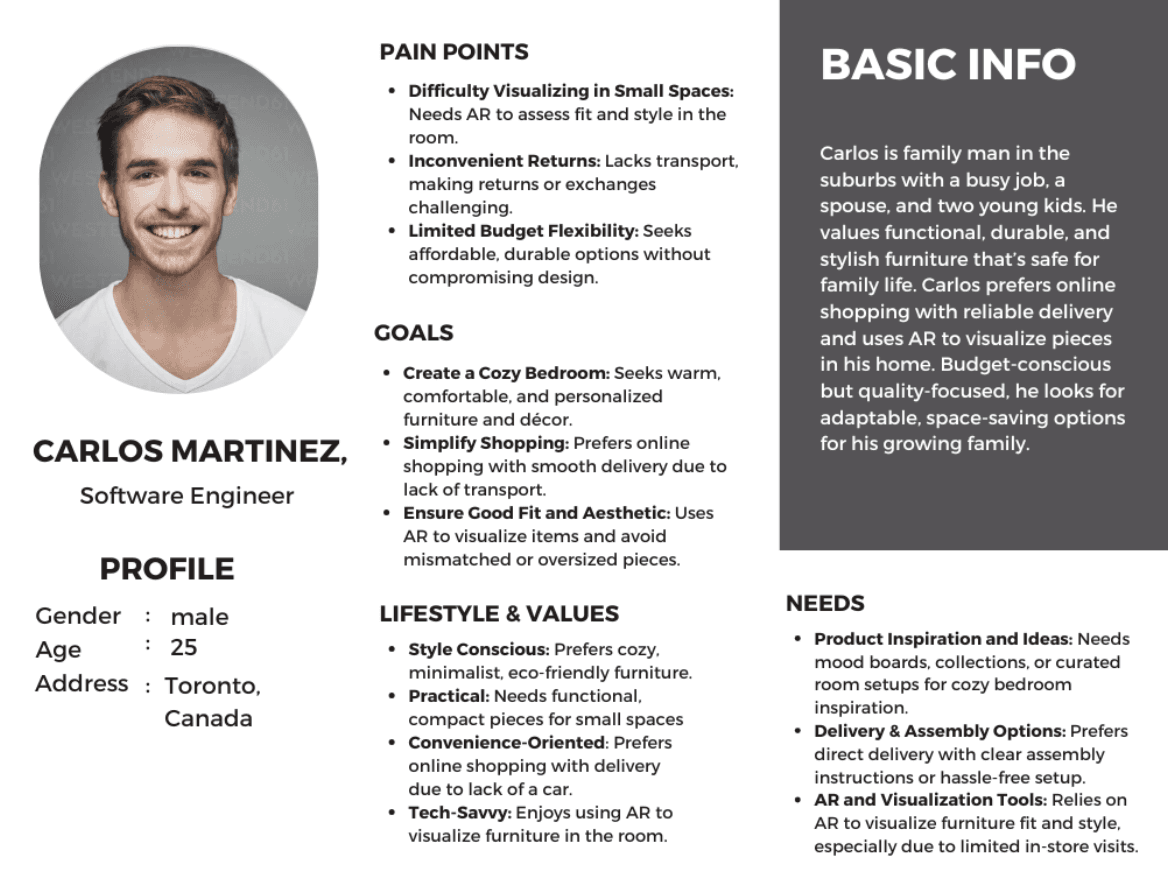
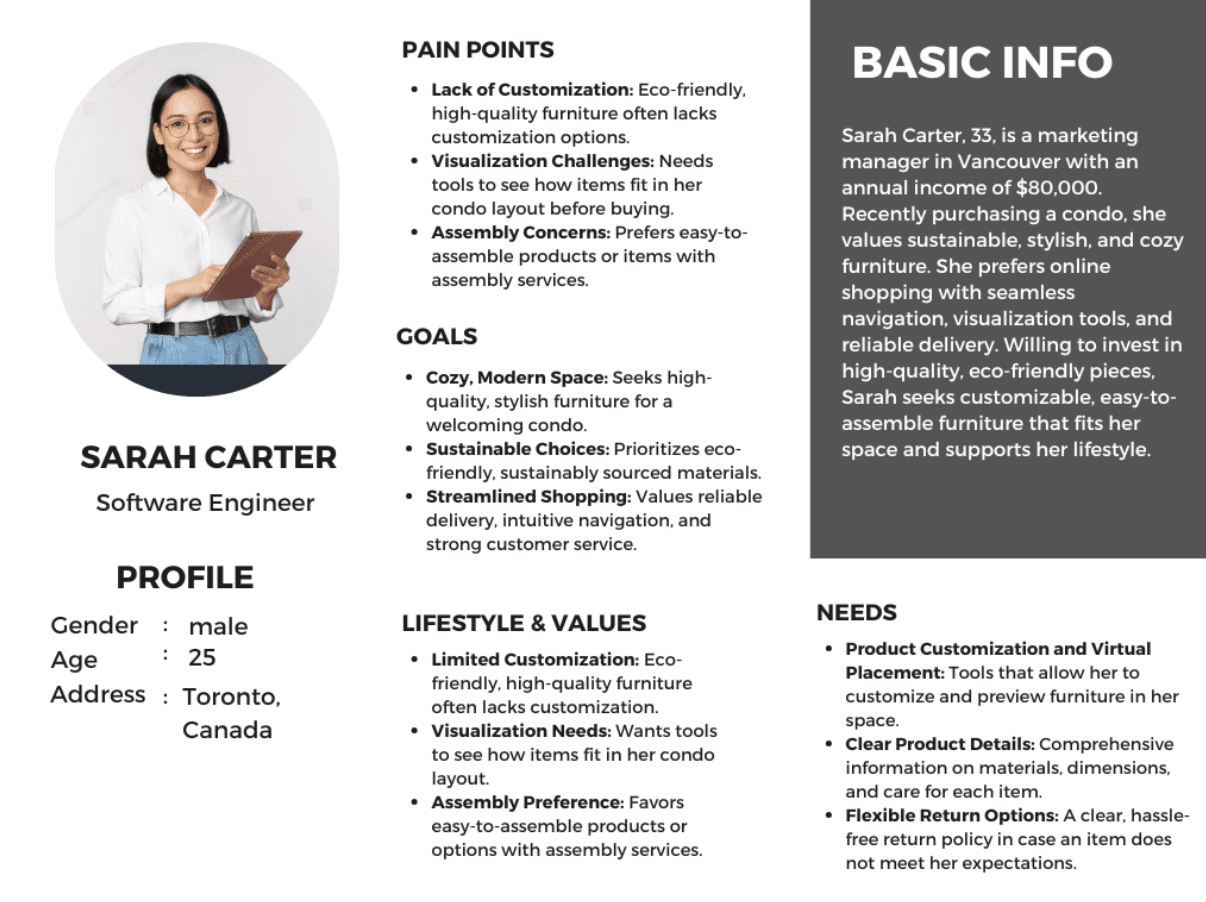
User Personas:
User Flow Diagram:
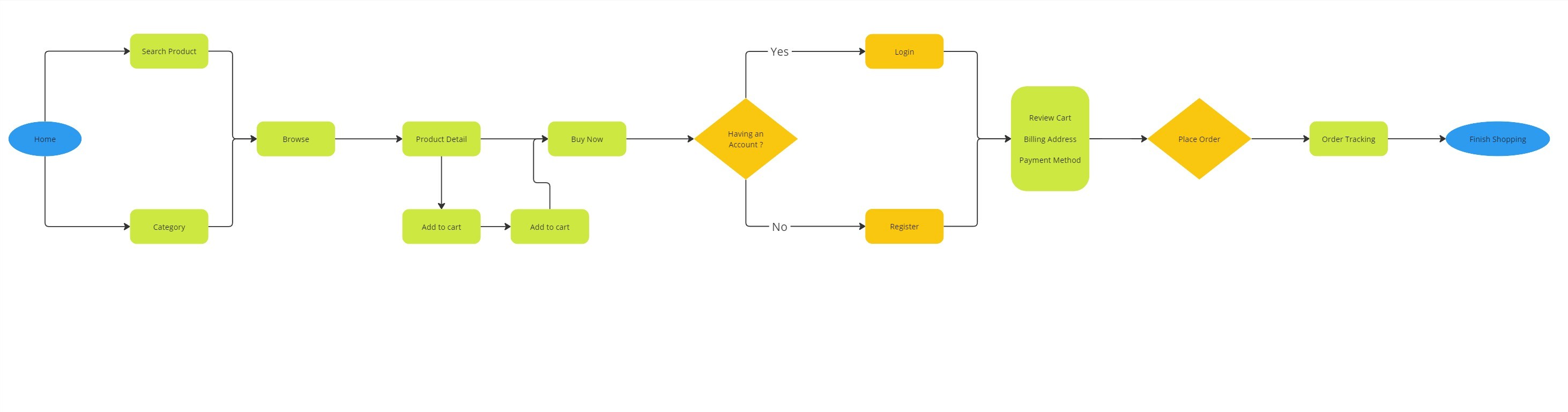
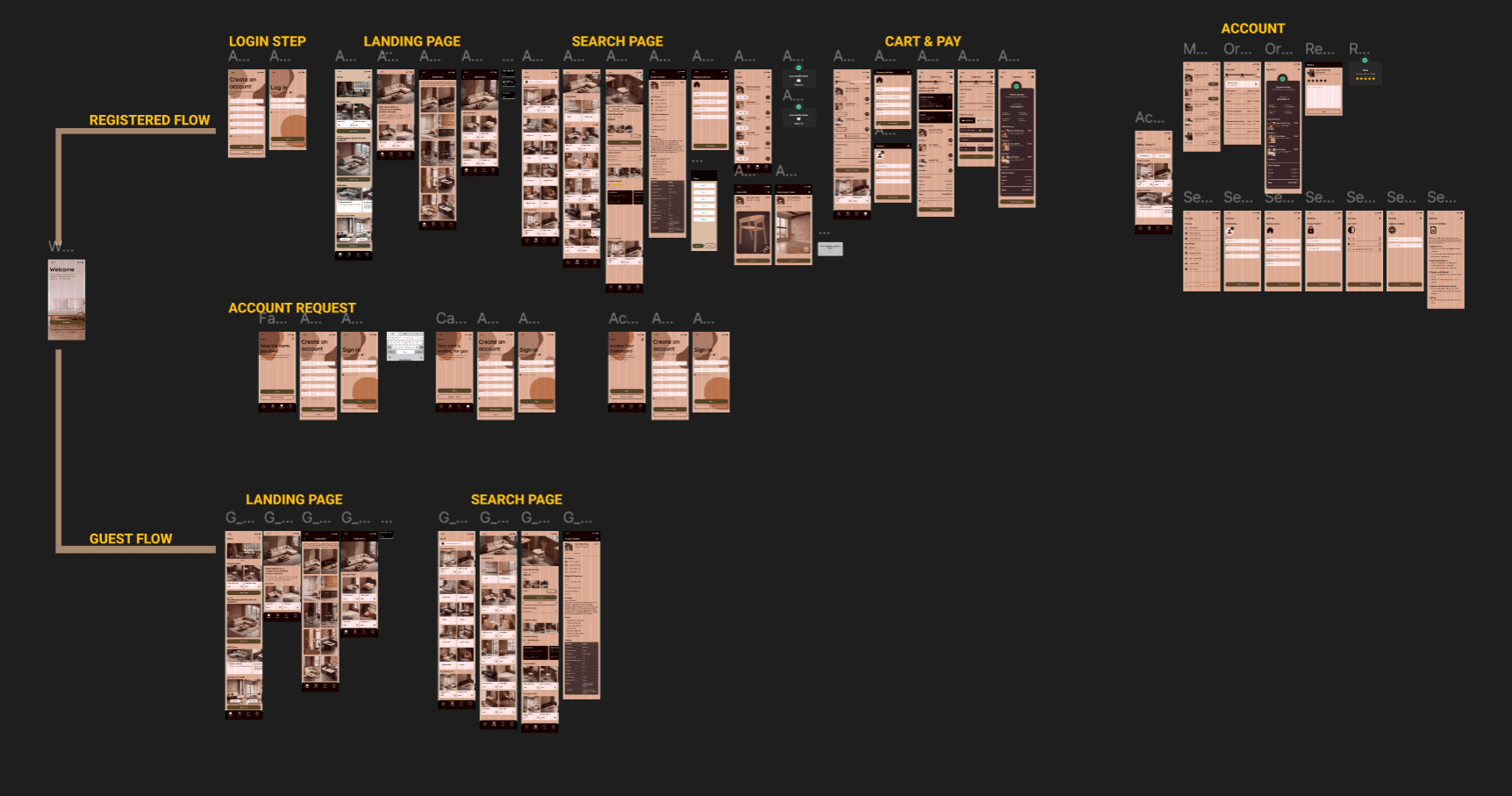
The user flow diagram illustrates how users interact with the HOME app, from exploring furniture categories and visualizing items in their space using AR to customizing products and completing purchases. It maps out clear steps for seamless navigation, ensuring an intuitive and efficient shopping experience for users.
User Journey Mapping:
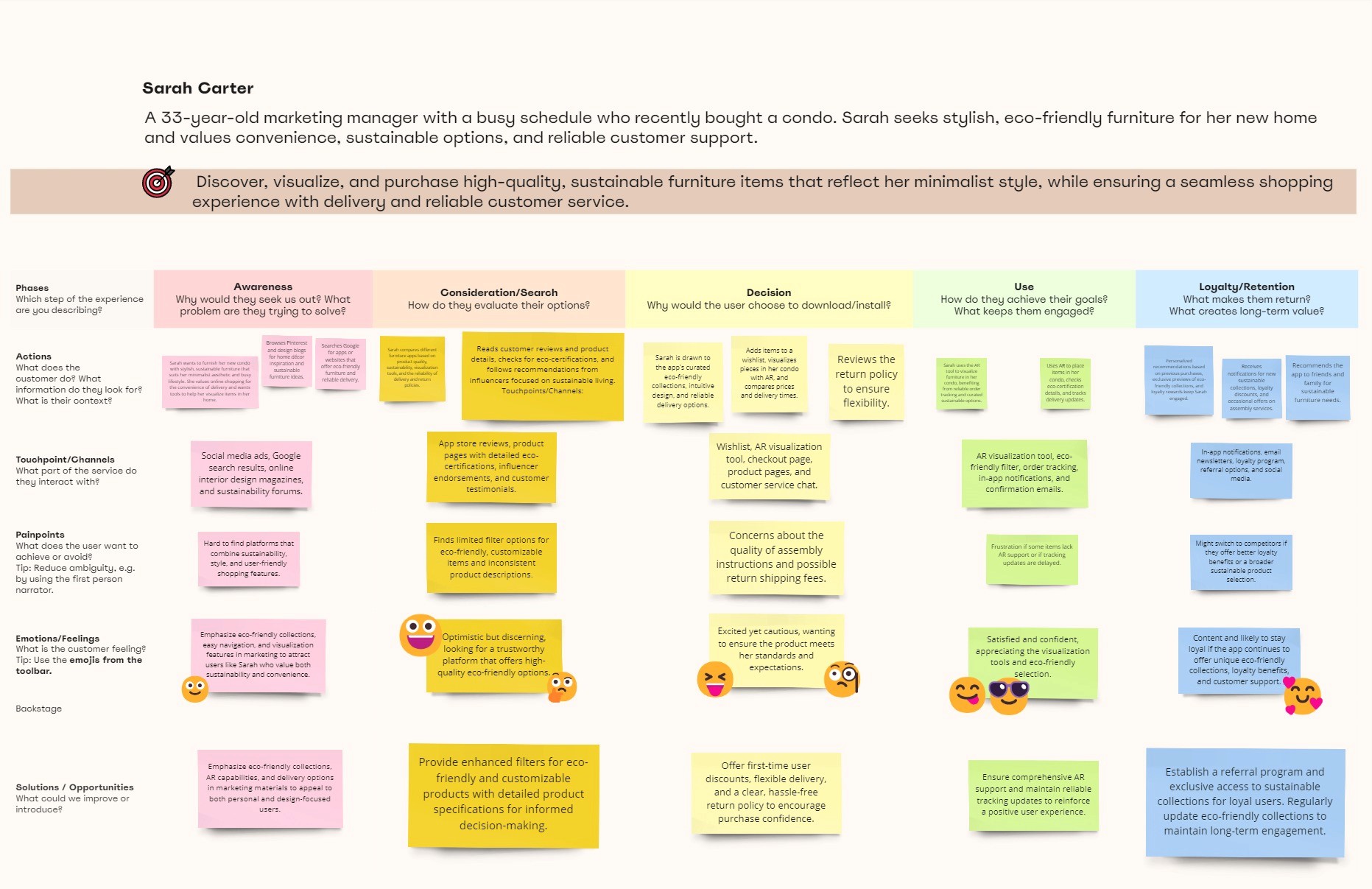
The journey map explores Sarah Carter's experience as a marketing manager seeking stylish, eco-friendly furniture for her new condo. It outlines her interactions across five stages—awareness, consideration, decision, use, and loyalty—highlighting her needs, touchpoints, pain points, and emotions. The map emphasizes opportunities to enhance her shopping experience with AR tools, detailed product information, and personalized eco-conscious options, ensuring a seamless, satisfying, and engaging user journey.
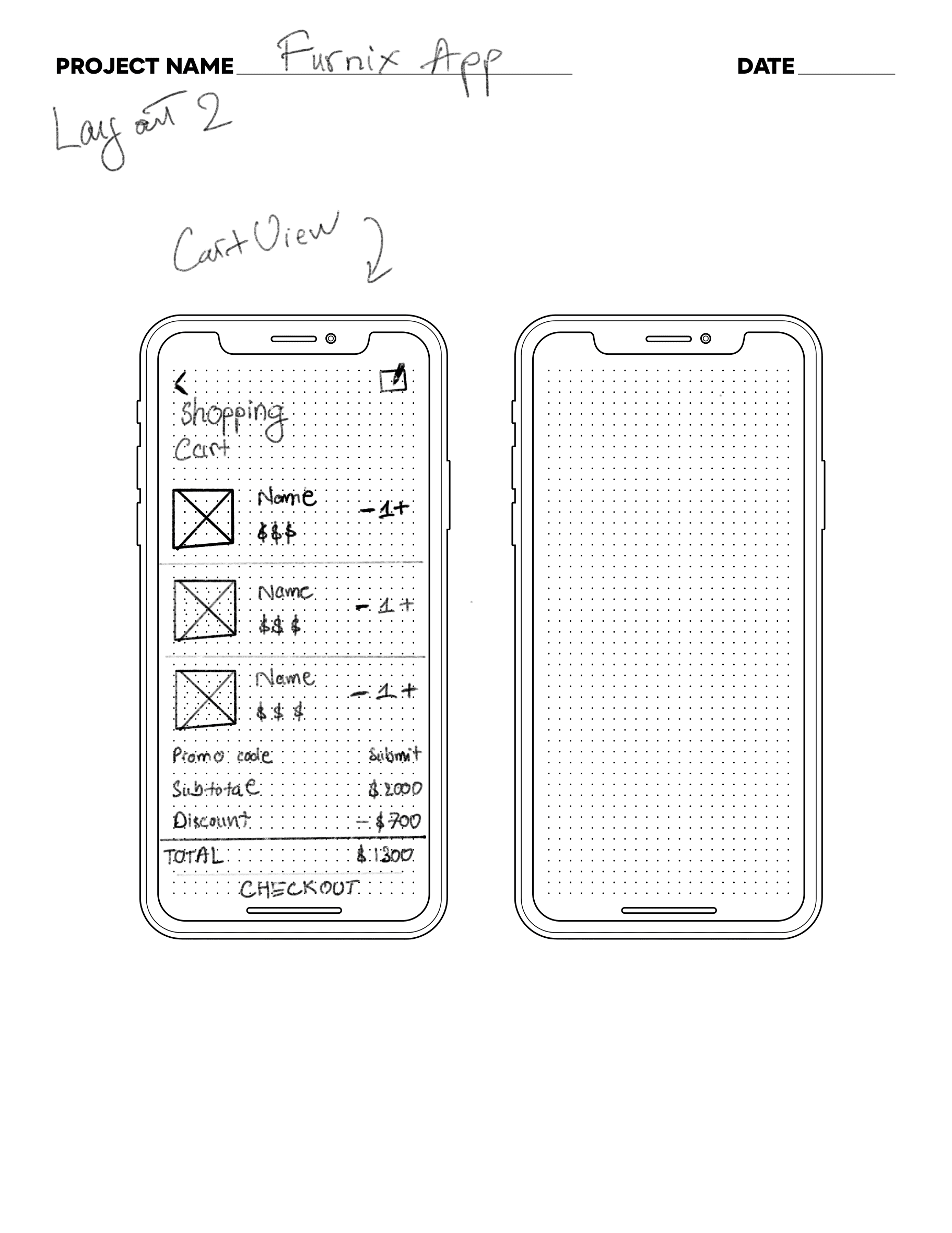
Sketching:
Wireframe:
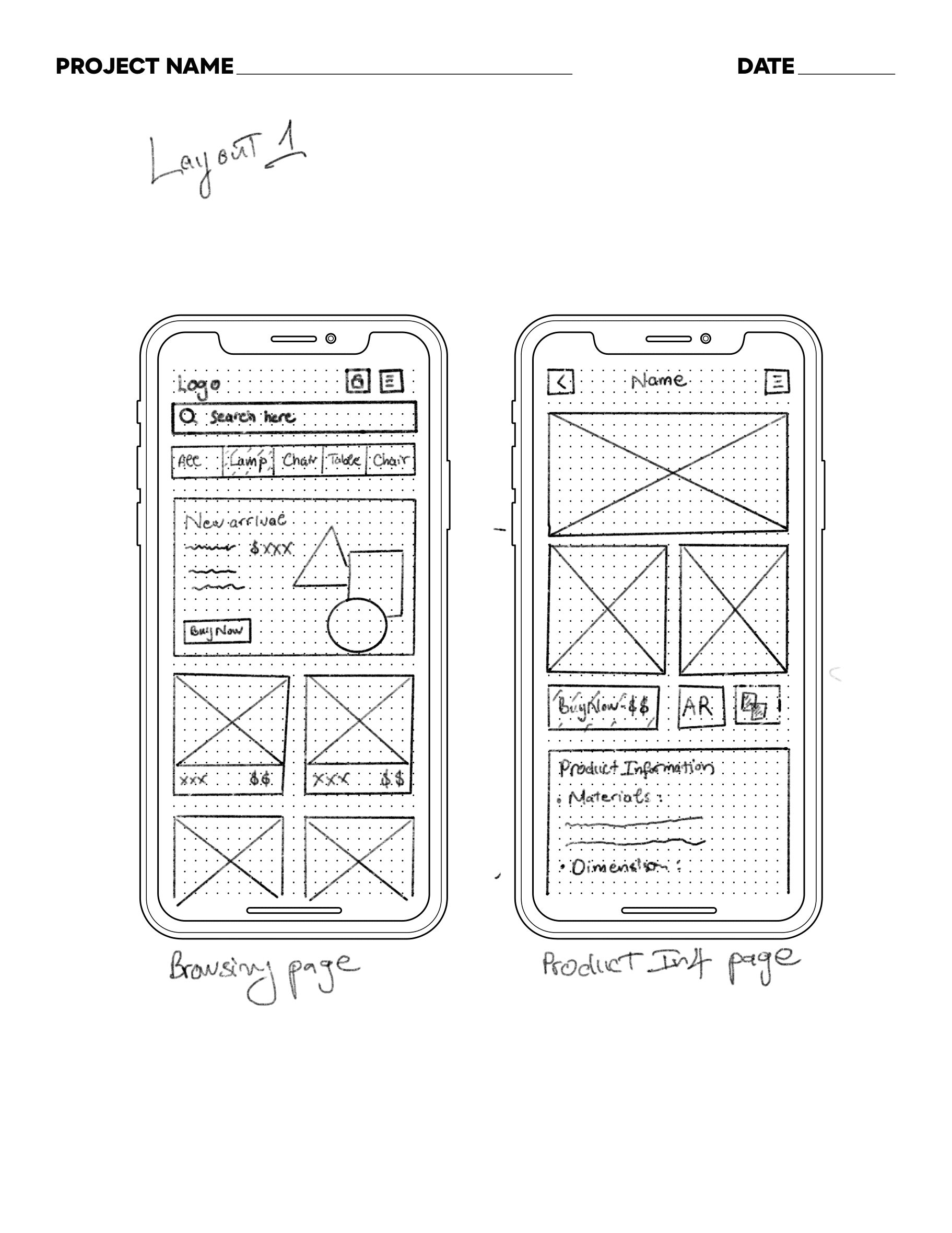
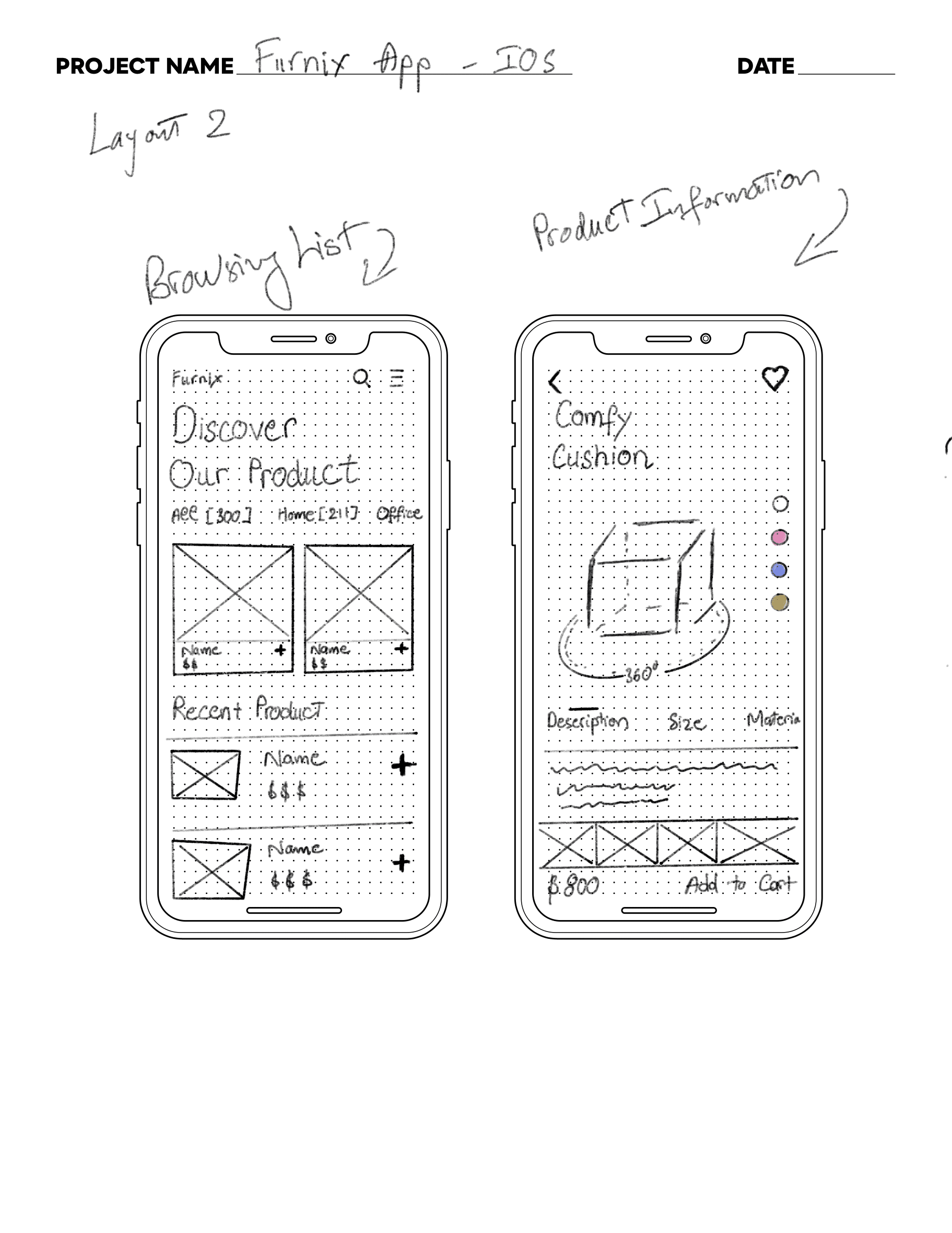
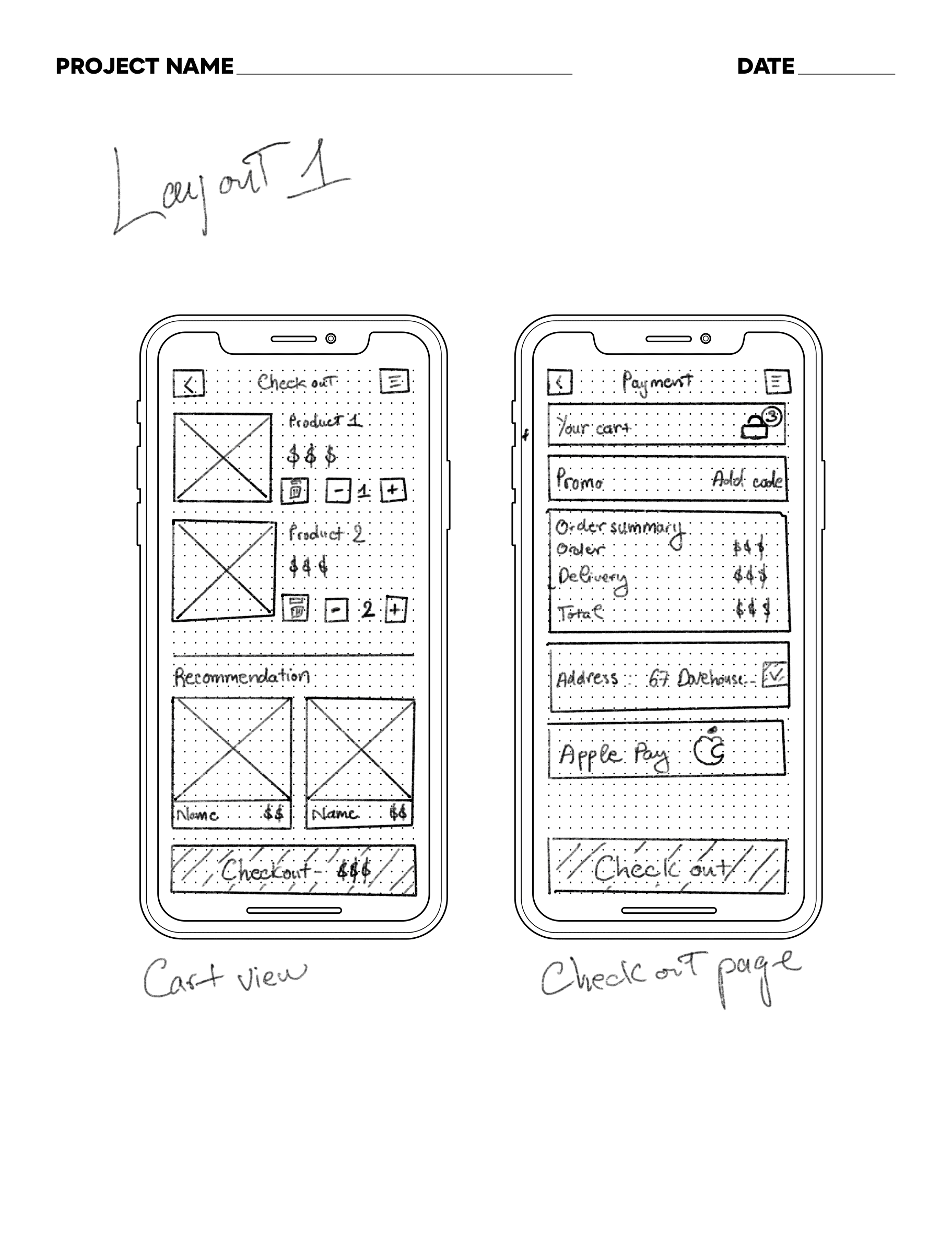
After finishing the workflow and sketching, I visualized the app concept using wireframes. Before moving to the high-fidelity prototype, I made the clickable prototype by adding map images and links using Figma.
UI Kit:
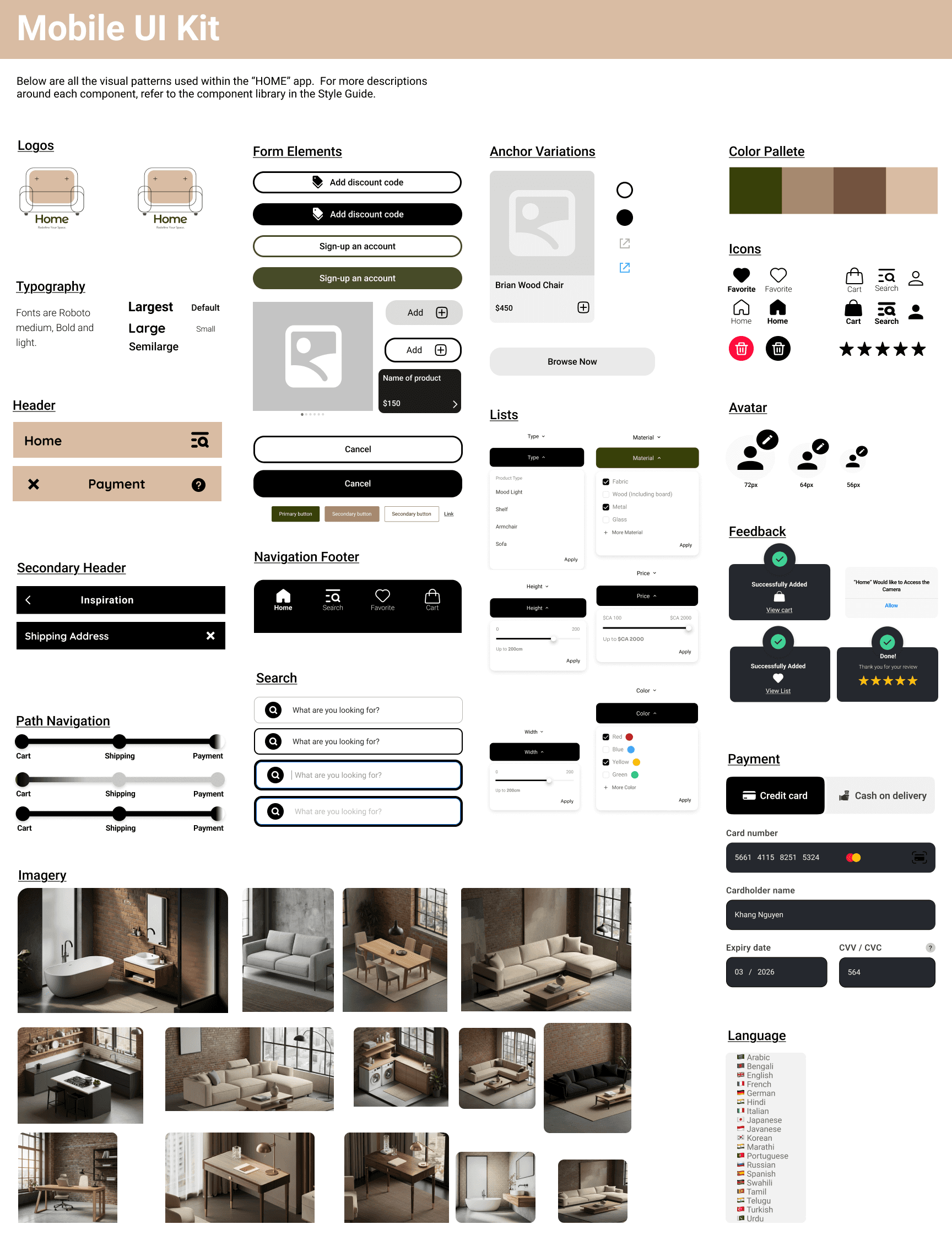
To prepare for the hi-fi prototype, I developed a cohesive UI kit featuring interactive components such as dropdown lists, filter buttons, and search tools with recommendation functionality. Additionally, I refined the logo design to ensure visual consistency and enhance the overall user experience.
Final Product:
Feature #1
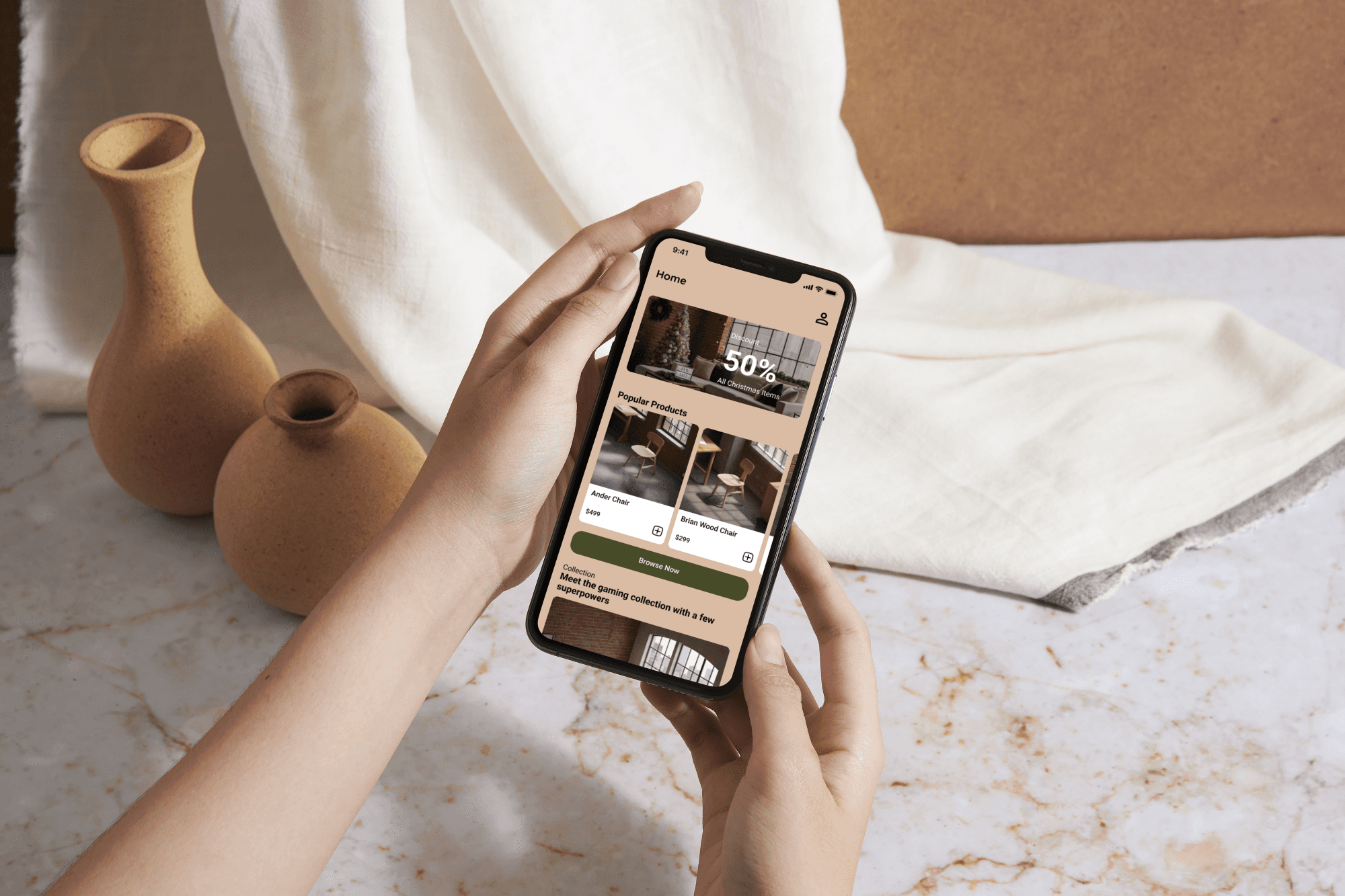
Homepage with Promotions and Inspiration
The homepage provides a seamless browsing experience with promotions, curated collections, and an Inspiration category. The Inspiration section offers users a variety of design ideas, allowing them to explore products based on styled spaces. A combined search and category tool further enhances usability by shortening search time and providing direct access to relevant items.
Feature #2
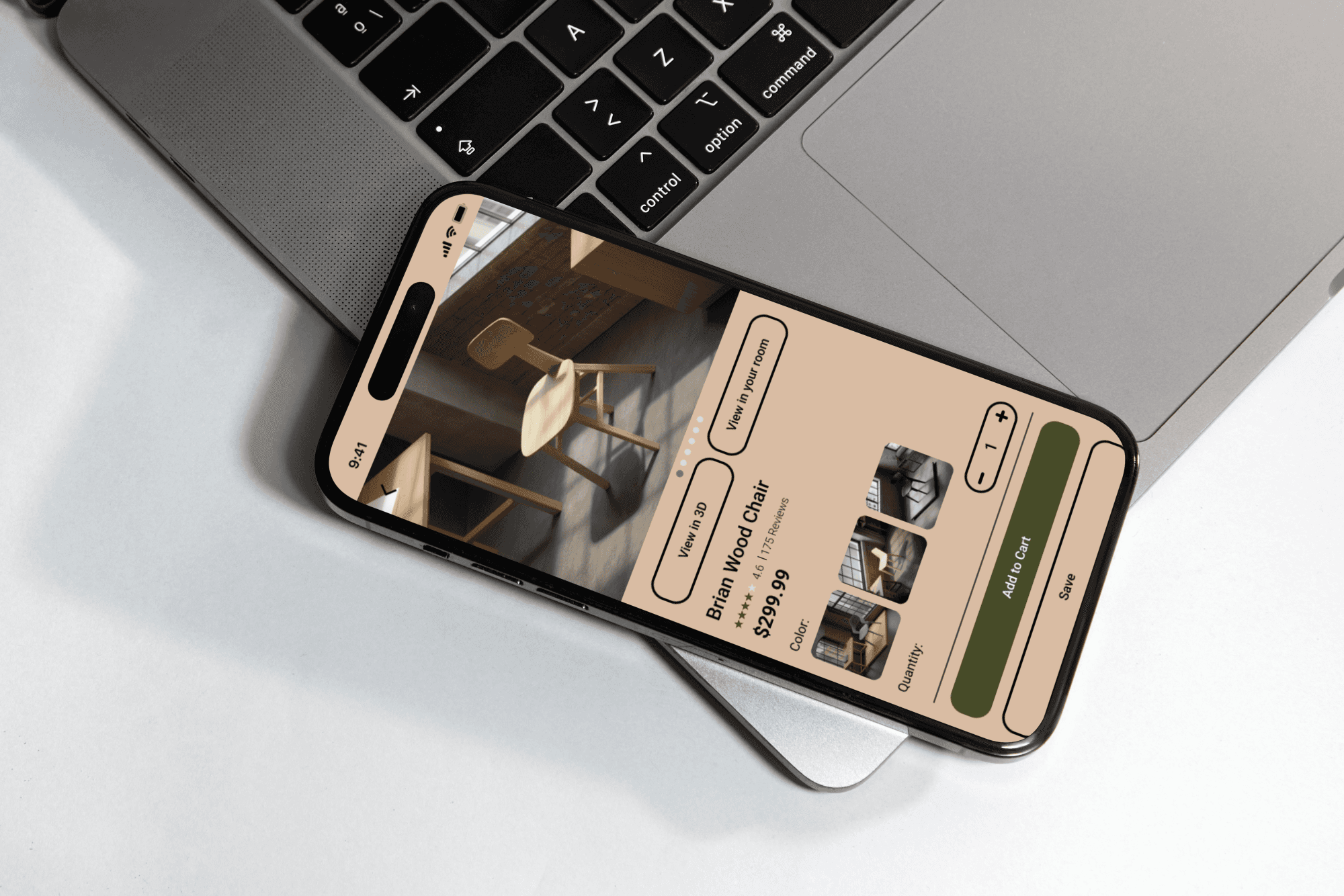
Minimalist Product Page with AR/3D
Designed with a clean and spacious layout, the product page minimizes clutter with hidden information panels. Users can access 3D/AR features to visualize furniture in their spaces and read customer reviews to make well-informed purchasing decisions.
Feature #3
Streamlined Checkout Process
The checkout process is simplified into three clear steps, ensuring transparency and ease for users as they review their purchases, select shipping options, and finalize their order. A progress bar guides users through the process for a smooth experience.
Feature #4
Order Tracking and Review
This feature allows users to track their order status in real time and leave reviews for purchased items, providing valuable feedback for future customers and enhancing their overall shopping experience.
Reflection:
This project has been a highly rewarding experience, offering valuable insights and opportunities for growth. Through the research phase, I developed a deeper understanding of identifying and addressing the needs of a specific target audience effectively. Designing UI elements that align with the brand identity and resonate with the target demographic was a challenging yet enriching task, significantly enhancing my design skills. To provide users with the most realistic 3D/AR experience, I explored new tools, including Adobe Aero and Stager, which pushed me to expand my technical expertise. Furthermore, the effort invested in creating a comprehensive user flow chart and journey map resulted in a clean and intuitive user experience, minimizing any potential confusion or hidden paths. While the project may still be in its early stages compared to established apps, I take pride in delivering a solution that effectively meets the needs of modern furniture shoppers.